● iPhone & iPad · iOS 26

From content to a great-looking page.

PrintAid is the missing step between your apps and your printer. Put several pages on a sheet, make a collage, read a scan or condense long text with on-device AI — then print, or save a PDF or EPUB.

$0.99 one-time · no subscription · no ads · no account

Three steps, one Next button

Every step says what it is for. You never get lost or change something by accident.

1

Share

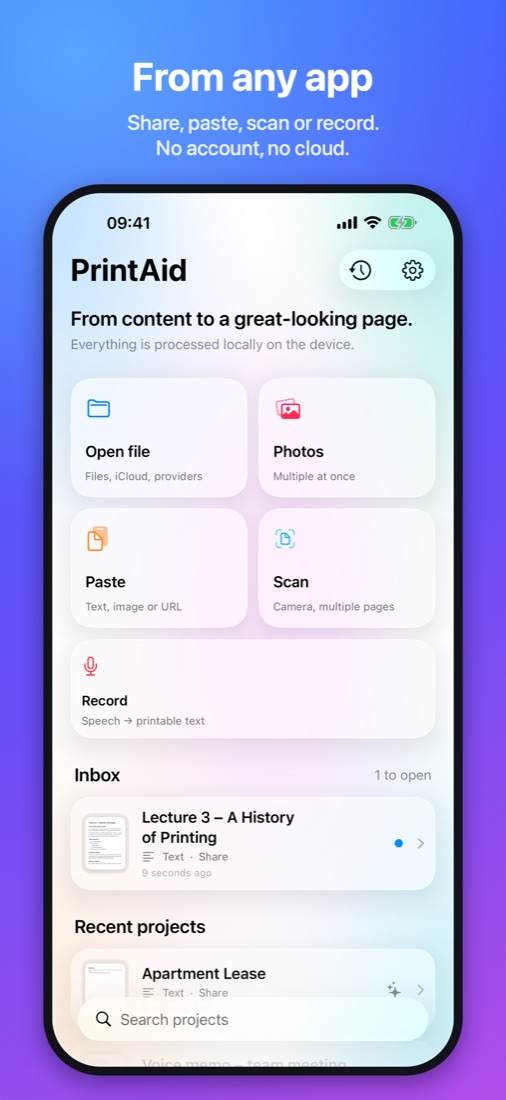
From any app: the Share sheet, Open In, Files, Photos, the clipboard, the scanner or a recording.

2

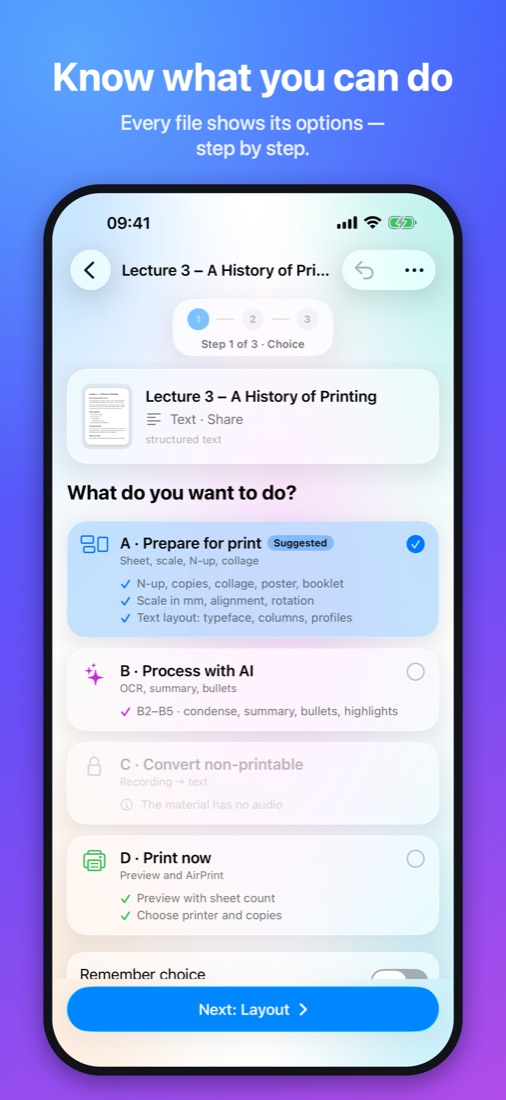
Choose what to do

PrintAid shows what is possible for this file — and what is not, and why.

3

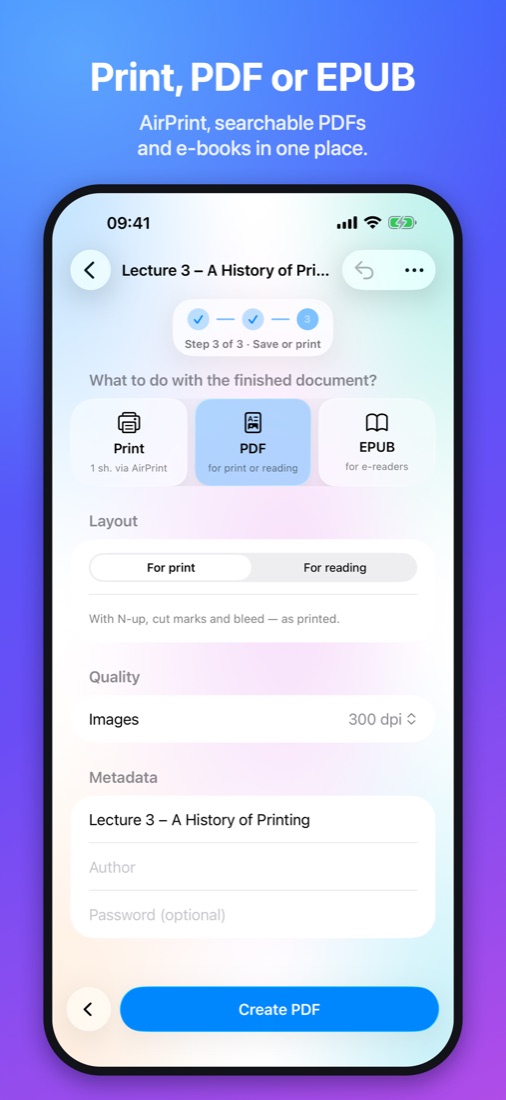
Print or save

AirPrint, a PDF for print or reading, or an EPUB for e-readers. Share it on with one tap.

Four scenarios

Each is a view of the same document. The original always stays untouched.

A

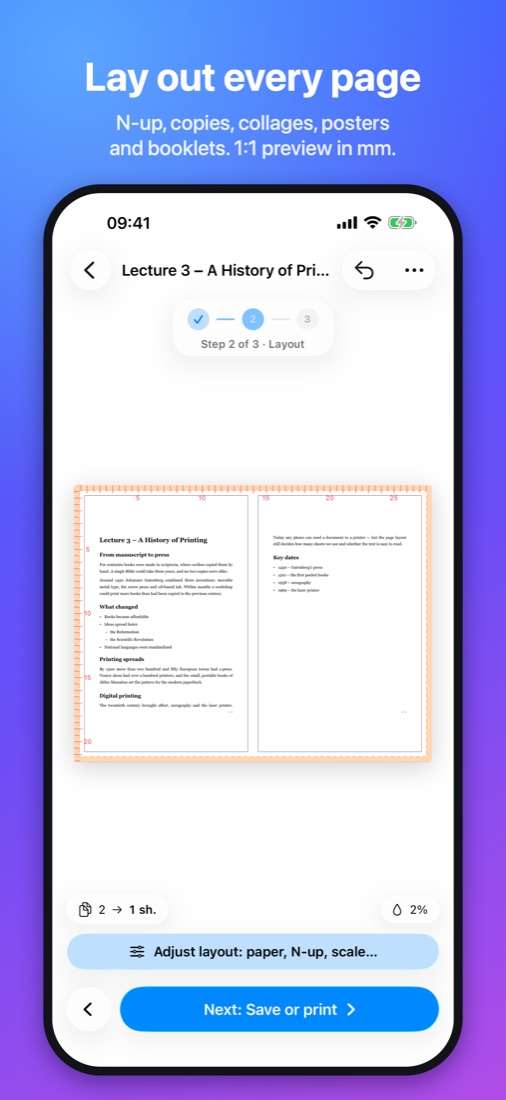
Prepare for print

A small layout tool with a 1:1 preview in millimeters.

  • N-up 2, 4, 6, 9, 16 or a custom grid
  • Copies: tickets, labels, business cards with cut marks
  • Collages, multi-sheet posters, booklets
  • Scale by % or exactly in mm
  • A “14 → 5 sheets” counter and ink estimate
  • Text layout with proper typography
B

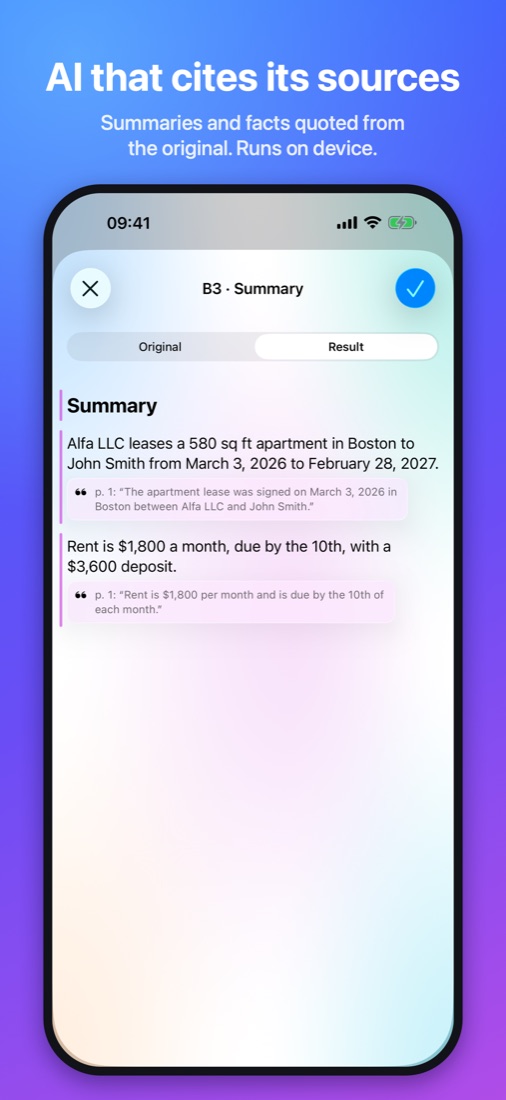
Process with AI

An on-device model condenses and organizes content, and every sentence shows its source.

  • B1 · read text from photos and scans (OCR)
  • Summaries and facts: dates, amounts, deadlines
  • Bullet points
  • Highlight key sentences without changing the original
  • Condense content onto fewer sheets
C

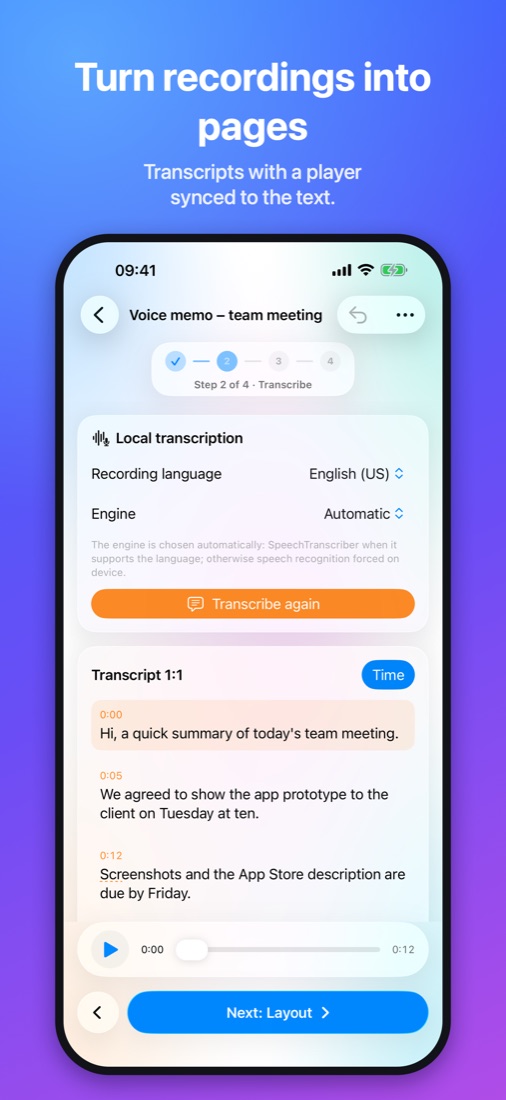
Turn recordings into text

Turn a voice memo, audio or video into a printable page.

  • On-device transcription
  • A player synced to the text
  • Timestamps on the page
  • Continue to AI (B) or layout (A)
D

Print now

When the material is ready — no editor needed.

  • Preview with sheet count
  • Choose an AirPrint printer and copies
  • History with Print Again

A look at PrintAid

Your documents stay on your phone

No account, no ads, no analytics. App Store label: “Data Not Collected”.

On device

  • OCR, AI and transcription run locally
  • Files and results stay in the app sandbox
  • The Inbox clears itself (after 30 days by default)

Network only when needed

  • To load a web page you share yourself
  • Optionally: your own AI server on your local network, off by default
  • No data to us or to third parties

What goes in

PDFJPEG · PNG · HEICScansTXT · Markdown · RTFHTML & web pagesDOCX · PPTX · XLSXEmailEPUBAudioVideo

What comes out

  • AirPrint with the finished layout
  • PDF for print or for reading
  • Searchable PDFs from scans
  • EPUB 3, reflowable or fixed layout

One price, for good

$0.99
one-time
  • All scenarios A–D
  • Print, PDF and EPUB
  • iPhone and iPad
  • Future updates
  • No subscription, no in-app purchases
Get it on the App Store

Questions

Do I need Apple Intelligence?

Only for AI operations B2–B5 (summary, facts, bullets, highlights, condense). They need an iPhone 15 Pro or later, or an iPad with M1 or A17 Pro. Instead, you can point PrintAid at your own AI server on your local network. Layout, printing, PDF, EPUB and OCR work on every device running iOS 26.

Do my documents go to the cloud?

No. Processing happens on your device. The only exception is a server on your own local network, if you turn it on in Settings.

Which printers work?

Any AirPrint printer. PrintAid lays out the sheets itself and sends a finished PDF, so the print matches the preview regardless of printer options.

What if an app only has Print, not Share?

In the system print preview, spread the page thumbnail with two fingers. You get a PDF with a Share button — choose PrintAid.

Which languages does transcription support?

It depends on the recording language and your device. PrintAid checks availability before it starts and only transcribes on device.

Is there a subscription?

No. You pay $0.99 once (or the equivalent in your currency) and get every feature.